

Color, Light, and Layout: The Blueprint for a Productive Home Office

You sit down to work and it feels harder than it should. The wall color is flat, the lamp throws glare, and your desk faces a closet. Small choices add friction. This guide walks through Color, Light, and Layout: the Blueprint for a Productive Home Office so you can design a space that helps you focus, feel better, and finish more work each day.
What you’ll get: quick science-backed reasons each design choice matters, step-by-step changes you can make today, tools and product picks, and real-world examples that show measurable results.
Why Color, Light, and Layout Drive Productivity (and What the Research Says)
Design affects how you feel and perform. A growing body of research ties indoor environment to cognitive function, mood, and sleep. For example, studies show natural light and views to the outdoors can raise productivity and well-being by measurable amounts. Poor glare, wrong color balance, or a cluttered layout increases mental friction—meaning you expend energy on the environment instead of the task.
In short: Color, Light, and Layout change the experience of working from home more than most people expect. Below are concise findings worth remembering before you rearrange anything.
Key evidence and statistics
- Natural light correlates with improved mood and fewer headaches in office workers—many studies report productivity ups of 5–15% with optimized daylight access.
- Color psychology research shows cool blues and muted greens support focus, while warm accents improve energy for creative tasks.
- Ergonomic layouts reduce musculoskeletal complaints and absenteeism; even small desk height adjustments can cut neck strain dramatically.
These points set the stage. Now we’ll convert the research into actions you can take in any home.
Color: How Paint and Palettes Tune Focus and Mood
Color is a simple, high-impact variable. The right palette reduces visual noise and primes your brain for focus or creative thinking. This section explains which hues do what and how to pick them for your specific work.
How color affects the brain
Color cues influence attention and emotion. Cooler hues (blue, soft green) tend to lower heart rate and sharpen concentration. Warmer hues (soft yellow, muted orange) raise arousal and can help brainstorming. Intensity and saturation matter: highly saturated walls can distract; soft, desaturated tones are steady.
Choosing a palette: three practical approaches
- Focus-first palette: soft blue-gray walls, white trim, and a single warm accent (like a mustard chair) for short bursts of creativity.
- Creative-first palette: warm neutral base (light beige), feature wall in muted terracotta, plants for green contrast.
- Balanced palette: neutral backdrop (pale gray or off-white), cool-toned textiles, and rotating accent items (art, cushions).
Actionable steps — color
- Test paint samples on all four walls and observe at morning and evening light for 48 hours.
- Keep most walls light and low-chroma—this increases perceived space and reduces visual fatigue.
- Add one or two accent pieces (lamp, rug, art) rather than painting multiple walls vivid colors.
Quick pros and cons: color choices
| Color Strategy | Pros | Cons |
|---|---|---|
| Cool neutrals (blue-gray) | Supports focus, feels professional | Can feel cold if under-lit |
| Warm neutrals (beige, warm gray) | Comforting, good for long sessions | May reduce alertness for detail work |
| Bold accent walls | Adds energy and personality | Can cause fatigue if overused |
Light: Daylight, Task Light, and Circadian-Friendly Choices
Light controls visibility and biology. Good light reduces eye strain and keeps your sleep cycle in sync. Here we break down daylight use, artificial light types, and practical placement.
Types of light and when to use them
- Ambient (room) lighting: Soft, even illumination for overall visibility. Use full-spectrum LED bulbs (3000K–4000K) to mimic daylight without blue spikes.
- Task lighting: Directed light for reading or close work. Adjustable desk lamps with dimmable outputs reduce glare.
- Accent lighting: Small fixtures that create depth—good for reducing contrast between screen and background.
Daylight strategy
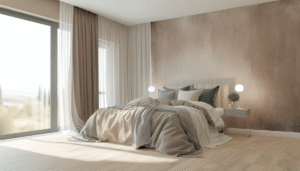
Maximize diffuse daylight. Place the desk perpendicular to a window when possible—this fills the workspace without direct screen glare. If the light is too harsh, use translucent blinds or sheer curtains to soften it.
Artificial light tips
- Use a mix of light sources to avoid high contrast between bright screens and dark surroundings.
- Choose bulbs with high CRI (Color Rendering Index) >90 for accurate colors; key if you work with design or photography.
- For evening work, reduce blue light: shift to warmer color temperatures (2700K–3000K) and use apps like f.lux or built-in night mode on displays.
Actionable steps — lighting
- Measure light at desk height. Aim for 400–600 lux for typical office tasks; higher for detailed work.
- Add an adjustable desk lamp with a frosted diffuser to minimize shadows and glare.
- Install a dimmer or smart bulbs to change color temperature across the day.
Layout: Flow, Ergonomics, and Reducing Friction
Layout determines how effortlessly you can move, reach items, and switch contexts. An efficient layout reduces decision friction and physical strain. We’ll focus on zones, ergonomics, and storage.
Principles of a productive layout
- Clear zones: separate focus, reference, and meeting zones—even if it’s one desk and a chair.
- Easy reach: keep high-use items within arm’s length; store low-use elsewhere.
- Paths and sightlines: maintain a clear path to the door or window to avoid feeling boxed in.
Ergonomics — quick checklist
- Top of monitor at or slightly below eye level.
- Screen an arm’s length away (approximately 20–30 inches).
- Feet flat on the floor or on a footrest; knees at 90–110 degrees.
- Wrists neutral while typing; consider a split keyboard or ergonomic mouse if you have wrist pain.
Small-space layout hacks
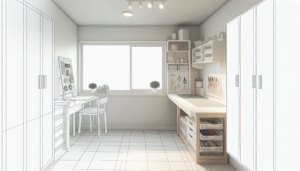
- Use vertical storage (floating shelves) to free desk surface.
- Choose a fold-down desk or a slim-depth table to keep sightlines open.
- Mount a monitor arm to reclaim desk space and increase adjustability.
Actionable steps — layout
- Sketch your room on paper, marking windows, doors, outlets, and radiator locations before buying furniture.
- Arrange the desk so your primary task faces a pleasant view or a blank wall—both reduce distraction compared with facing clutter.
- Create a ‘reset’ routine: end the day by clearing the desk to lower morning friction.
Tools, Products, and Software That Make the Blueprint Work
From bulbs to planning tools, select items that fit your budget and needs. Below are pragmatic recommendations and honest trade-offs.
Color and palette tools
- Coolors (coolors.co) — quick palette generator for wall and accent color exploration.
- Paint sample cards — test real swatches on larger areas of your wall.
Lighting hardware
- Philips Hue white and color bulbs — flexible color temperature and scheduling (good for circadian shifts).
- Anglepoise or Artemide style adjustable desk lamp — durable, low-glare task lighting.
- Daylight-balanced LED panels for low-light rooms (4000K, high CRI)
Ergonomic furniture and accessories
- Height-adjustable desk (electric preferred) — supports sit-stand transitions.
- Monitor arm — improves sightline and reclaims desk space.
- Quality task chair with lumbar support — pick one adjustable for tilt and arm height.
Software and apps
- f.lux or built-in blue light controls — automatically shift screen warmth at sunset.
- Notion or Trello — keep a single, visible to-do list to reduce desktop clutter.
- Room visualization tools — Ikea Planner or Roomstyler for testing arrangements before moving furniture.
Trade-offs and honest notes
Budget lights look great in photos but can flicker or have poor color rendering. Cheap ergonomic chairs often lack long-term support. Spend more on the things you use most: chair, desk lamp, and monitor setup.
Case Studies: Real People, Real Gains
Small changes produce measurable results. Below are two brief examples that show how the blueprint works in practice.
Case study 1 — Freelancer Sarah (writing, long sessions)
Problem: frequent midday fatigue and neck pain. Solution: Sarah painted her office a soft blue-gray, moved her desk perpendicular to a north-facing window to reduce glare, and added a high-CRI desk lamp for evening tasks. She also raised her monitor 2.5 inches and used a footrest.
Results (reported after 6 weeks): fewer headaches, 30–45 minutes more focused writing time per day, and lower neck pain scores. Her client turnaround also improved due to steadier daily output.
Case study 2 — Remote product manager (collaboration-heavy role)
Problem: frequent camera fatigue and messy backdrop during video calls. Solution: swapped wall color to warm neutral, installed soft ambient lighting behind the monitor to reduce contrast, and built a small shelving backdrop with plants and a framed print.
Results: more consistent video quality, reduced post-call fatigue, and higher perceived professionalism in client meetings.
Step-by-Step Remodel Checklist (A How-to for Any Budget)
Follow this sequence to avoid wasted effort and expense. Each step includes a quick decision guide.
- Audit the space (30–60 minutes): note window placement, electrical outlets, current glare issues, and what breaks your focus.
- Set the priority: pick one primary goal: reduce pain, increase focus, or improve video presence.
- Pick a palette: choose a dominant wall color and 1–2 accents. Order paint samples.
- Address daylight: test desk placement perpendicular to a window; add sheer blinds if direct sunlight hits screens.
- Upgrade task lighting: install an adjustable desk lamp with dimmer and frosted diffuser.
- Adjust ergonomics: set monitor height, keyboard position, and chair adjustments. Take a photo of your setup for reference.
- Declutter and zone: add vertical storage and designate a shelf for ‘active projects’ to keep the desk clear.
- Test for two weeks: live with the setup, note friction points, and make small iterative changes.
Quick materials list
- Paint samples, roller kit
- Adjustable desk lamp
- Monitor arm and cable management
- Small shelving or filing unit
- Quality chair or lumbar cushion
Color vs Light vs Layout — When to Prioritize What
Not every change is equal. Use this quick guide to decide which element to fix first based on your main symptom.
| Symptom | First fix | Why |
|---|---|---|
| Eye strain, headaches | Lighting | Adjusting glare and brightness usually yields fast relief. |
| Feeling sluggish, can’t focus | Color and lighting | Soothing colors plus daylight cues support alertness. |
| Back/neck pain | Layout and ergonomics | Proper monitor height and seating reduce strain quickly. |
| Video calls feel unprofessional | Lighting and background layout | Soft front light and a tidy backdrop improve perceived presence. |
Recommended Resources and External Reading
Want deeper technical reads? Below are a few high-authority sources to explore.
- Harvard Health — research on sleep, light, and mood
- Harvard Business Review — articles on workspace design and remote work productivity
- Coolors.co — color palette generator (free tool)
Visual Content Suggestions (Infographic & Image Ideas)
To help readers scan and apply this blueprint, use these visuals:
- Infographic: “Before/After: 3 Simple Moves That Increase Focus” — show wall color change, lamp placement, and desk rotation.
- Chart: “Recommended Light Levels (lux) by Task” — quick reference for ambient vs task lighting.
- Diagram: “Ergonomic monitor and keyboard positioning” — labeled measurements and tips.
- Photo set: sample palettes with exact paint names and swatch codes for easy shopping.
Alt-text suggestions for images:
- Alt for palette image: “Soft blue-gray bedroom office palette with warm mustard accent chair.”
- Alt for lighting diagram: “Desk setup showing perpendicular window, adjustable desk lamp, and monitor arm.”
- Alt for ergonomic diagram: “Side view of proper monitor height, neutral wrist position, and chair support.”
A 30-Day Implementation Timeline
Replace overwhelm with a plan. Follow this timeline for steady progress.
- Days 1–3: Audit and choose a palette. Order samples and a new desk lamp.
- Days 4–10: Paint accent wall if desired. Move desk and test daylight placement.
- Days 11–15: Install task lighting, monitor arm, and cable management.
- Days 16–23: Fine-tune ergonomics, add storage, and set up software lighting schedules.
- Days 24–30: Live with the setup and document one measurable improvement (minutes of focused time, fewer headaches, fewer mouse breaks).
Frequently Asked Questions
How do I pick the best wall color for focus?
Choose a low-chroma cool or warm neutral as a base (e.g., pale blue-gray or warm gray). Test samples at different times of day on large patches of wall to account for changing daylight.
What color temperature should my desk lamp be?
For daytime work, 3500K–4000K (neutral white) reduces color shifts and supports alertness. For evening sessions, switch to 2700K–3000K to lower blue light exposure.
Should my desk face the window?
Ideally place the desk perpendicular to the window to enjoy daylight without direct screen glare. If space requires facing the window, use translucent blinds and position your monitor to avoid reflections.
How can I make a small room feel larger and less distracting?
Use light, low-chroma wall colors, add vertical storage to clear surfaces, and keep a clear sightline by avoiding bulky furniture in front of windows and doors.
Are smart bulbs worth it for a home office?
Smart bulbs add flexible color temperature and dimming schedules that match your circadian rhythm. They help if you work variable hours, but choose brands with high CRI for true color rendering.
How often should I reassess my workspace?
Check your setup quarterly and after any change in work type. Small tweaks—like moving a lamp or changing an accent—can yield noticeable gains without a full remodel.
Conclusion & Next Steps
Color, Light, and Layout: The Blueprint for a Productive Home Office is practical, not decorative. Start with the one change that will remove the most friction for you—better lighting if you have headaches, improved ergonomics if you have pain, or a neutral palette if you feel overstimulated. Make the change, measure one result, and iterate.
Ready to try it? Pick one small change today: test a paint swatch, move your desk five degrees, or buy an adjustable lamp. Then come back to this blueprint and tackle the next item.
Further reading: check our detailed guide on home office ergonomics, product reviews of best desk lamps, and space-saving ideas in small-space office layouts.
Content Disclaimer
The information in this article is provided for educational purposes only. It is not professional medical, legal, or financial advice. If you have specific health concerns (for example, chronic pain or sleep disorders), consult a licensed professional. Product recommendations are based on general performance and reader-friendly trade-offs; individual results will vary.
Categories
- Accent Walls & Ceilings (84)
- Art Curation & Gallery (83)
- Bedding Style Trends (89)
- Bedroom Makeover (96)
- Bohemian & Eclectic Styles (80)
- DIY & Budget-Friendly Decor (78)
- Eco-Friendly Design (83)
- Furniture Care (87)
- Home Decor & Design Ideas (181)
- Home Wellness Spaces (103)
- Integrated Outdoor Living (91)
- Japandi Style (84)
- Kids and Nursery Decor (73)
- Living Room Decor (99)
- Mix & Match Techniques (95)
- Modern & Contemporary Design (88)
- Rug Sizing & Placement (89)
- Scandinavian Design Inspiration (51)
- Seasonal Home Decor (100)
- Small Space Solutions (93)
- Wall Art & Painting Tips (94)
Recent Comments
Archives
Product Gallery
-
 Majestic African Wildlife Canvas Art for Stylish Home Decor
Rated 5.00 out of 5
Majestic African Wildlife Canvas Art for Stylish Home Decor
Rated 5.00 out of 5 -
 Cozy Irregular Green Plush Rug for Nordic Living Spaces
Rated 5.00 out of 5$50.99 – $321.60Price range: $50.99 through $321.60
Cozy Irregular Green Plush Rug for Nordic Living Spaces
Rated 5.00 out of 5$50.99 – $321.60Price range: $50.99 through $321.60 -
 Scandinavian Geometric Area Rugs for Stylish Home Décor
Rated 5.00 out of 5$36.62 – $554.84Price range: $36.62 through $554.84
Scandinavian Geometric Area Rugs for Stylish Home Décor
Rated 5.00 out of 5$36.62 – $554.84Price range: $36.62 through $554.84