
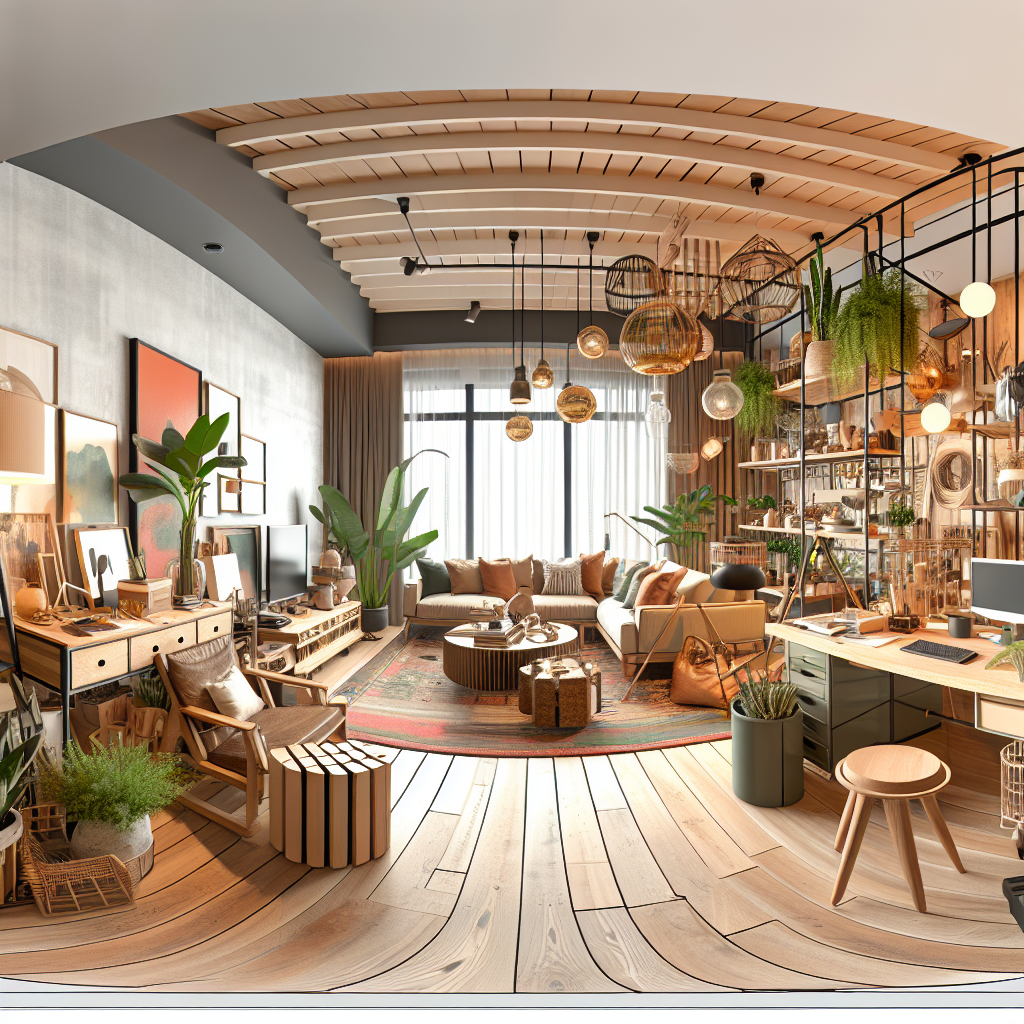
Small Space, Big Productivity: Designing a Home Office That Delivers

Squished into a corner of your living room or working from a narrow bedroom alcove? You can still build a focused, comfortable workspace. “Small Space, Big Productivity” is about turning little square footage into consistent, measurable output.
In the first 100 words: Small Space, Big Productivity depends less on square footage and more on strategy. When you give a small area clear purpose, ergonomic comfort, and smart storage, minutes of wasted motion vanish and focus rises. This guide shows how to design a home office that delivers results—even if you only have a closet, a balcony corner, or a 5-foot wall to work with.
What you’ll gain: a step-by-step roadmap for planning, outfitting, and running a compact home office. Expect specific layout templates, furniture picks for narrow rooms, a checklist for ergonomics, recommended apps that improve concentration, and real-world case studies that demonstrate measurable gains.
Roadmap: We’ll begin with how to plan and measure your space, then move into layout options for common small spaces, ergonomics and tech choices, productivity routines and tools, and finally maintenance, scaling, and styling advice. Each section includes actionable steps you can apply tonight.
1. Plan Your Small Space: Measure, Prioritize, and Define Purpose
Before buying desks or lamps, measure the area and choose one clear purpose. A high-production home office needs intention. If your workspace also serves as guest storage, reading nook, or kids’ craft table, productivity drops.
Why purpose beats size
Research on context-dependent memory shows that our brains tie focus to environment. A dedicated spot—even a narrow desk in a hallway—triggers work-mode more reliably than shifting between couches or kitchen islands. That means “Small Space, Big Productivity” starts with a choice: pick a primary function and protect it.
Quick space audit (10-minute exercise)
- Measure length, width, and height. Note outlets and natural light source.
- Map foot traffic paths and sound sources (doors, TV, laundry). Avoid high-traffic lines.
- List activities you need: video calls, focused writing, sketching, storage.
- Decide what to keep out of the zone (toys, laundry baskets, pet beds).
Actionable layout templates
Use one of these depending on your space. Each template includes minimum dimensions and recommended furniture sizes.
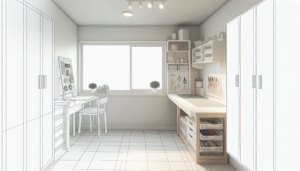
- Narrow wall (3–5 ft wide): Floating shelf desk (desk depth 12–20 in), wall-mounted organizers, clip-on lamp.
- Closet conversion (4–6 ft deep): Remove doors, add a compact desk (24–36 in wide), vertical shelving above, curtain for privacy.
- Corner setup (2 adjacent walls): L-shaped small desk or two floating shelves, corner cable tray, angled monitor arm.
- Shared room (bedroom/ living): Use a room divider or rug to visually separate the workspace; keep daily tools on a rolling cart.
2. Furniture & Ergonomics: Comfort That Fits Tiny Footprints
Good design makes small spaces feel larger. Ergonomics aren’t a luxury—they’re productivity insurance. When you sit wrong, you fidget. When you fidget, you lose deep work time.
Ergonomic essentials for small spaces
- Chair: adjustable height, lumbar support. Seat depth should allow 1–2 inches between knee and seat edge.
- Desk: at least 24 inches wide for minimal work; floating desks with a depth of 12–20 inches save space.
- Monitor/laptop: screen at eye level. Use monitor arms or laptop stands to keep neck neutral.
- Keyboard & mouse: external compact keyboard and vertical mouse options reduce wrist strain.
Space-saving ergonomic gear
- Fold-down desk that becomes an instant workspace.
- Compact sit-stand converters that attach to narrow desks.
- Slim-profile office chair or stool with adjustable base.
Practical steps to set up ergonomics tonight
- Raise your screen to eye level with books or a laptop stand.
- Place keyboard and mouse so elbows are ~90 degrees and close to your body.
- Set chair height so feet rest flat or use a small footrest.
- Test posture with a 5-minute focus timer and adjust as needed.
3. Storage & Organization: Declutter the Clutter
Clutter steals attention. In small spaces, every item competes for visual real estate. Thoughtful storage keeps the surface clear and your mind clear.
Vertical storage strategies
When floor area is limited, go up. Wall shelves, pegboards, and tall narrow cabinets free desk space and reduce surface noise.
- Install floating shelves above the desk for daily essentials.
- Use pegboards for headphones, cables, and small tools.
- Magnetic knife-strip style holders can store metal tools and clips.
- Under-desk baskets or rolling carts for files and peripherals.
Minimalist storage checklist
- Keep only current projects on the desk.
- Digitize paper documents—scan and store securely.
- Label boxes and use clear containers for quick identification.
- Adopt a one-in-one-out rule for accessories and decor.
Comparison: Open shelving vs closed cabinets
| Feature | Open Shelving | Closed Cabinets |
|---|---|---|
| Visual clutter | Higher unless styled | Lower |
| Access speed | Faster | Slower |
| Depth needed | Shallower | Deeper |
| Best for | Stylish essentials | Documents, supplies |
4. Lighting, Acoustics & Visual Design: Set the Mood for Focus
Lighting and sound shape how you feel. Good light reduces eye strain. Controlled sound cuts interruptions. These factors are multiplied in small spaces because they affect you constantly.
Lighting: mix layers for comfort
- Task light: adjustable desk lamp (warm 2700–3000K for comfort during long sessions).
- Ambient light: soft overhead or wall sconce to reduce contrast.
- Accent light: small LED strip under shelves to brighten vertical surfaces.
Acoustic tips for tiny areas
- Add a rug to reduce echo.
- Hang a tapestry or acoustic panels if the room is noisy.
- Close doors when on deep work or calls; foldable screens help if doors aren’t an option.
Color and visual tricks to make small feel roomy
- Light, warm neutrals expand perceived space.
- Vertical stripes or tall artwork draw the eye upward.
- Keep the desk surface monotone with minimal contrast items.
5. Technology & Tools: Power Through Without Powering the Room
The right tech keeps your small office nimble. Prioritize small footprint, wireless options, and multi-function devices.
Hardware picks for compact workstations
- Portable monitor (15–17″): adds screen space without a large stand.
- Monitor arm: frees desk surface and adjusts for posture.
- Compact docking station instead of multiple cables.
- Noise-cancelling headphones for calls and focused sessions.
Software & apps that boost productivity
- Task management: Notion or Trello for visual boards and projects.
- Time tracking: RescueTime to analyze focus patterns.
- Focus aids: Forest app or Focus To-Do for Pomodoro timers.
- Video calls: Zoom settings for low-bandwidth rooms; use virtual background sparingly if your space is personal.
Tool recommendations — honest assessments
- Herman Miller Aeron: excellent for long-term posture but pricey—consider used or mesh alternatives for small footprints.
- Autonomous SmartDesk compact model: good sit-stand option if your desk area is at least 24 inches wide.
- Logitech MX Keys Mini + MX Master mouse: high-quality, low-profile combo that preserves desk space.
- IKEA BEKANT wall-mounted desk: affordable, shallow depth choices for hallways or closets.
External authority: For workplace ergonomics guidance, consider OSHA’s recommendations on workstation setup for seated and standing work (OSHA offers practical checklists and diagrams). OSHA. For research on remote work trends and productivity, see Gallup’s remote work reports. Gallup.
6. Routines, Habits & Time Management for Compact Work Zones
A small workspace is like a high-performance car: it demands a consistent routine to perform well. Good habits stop the space from being a convenience and turn it into a productivity engine.
Daily rituals that matter
- Mornings: 5-minute setup ritual—clear the desk, boot devices, open three tabs or apps you need.
- Deep work blocks: 60–90 minute focus windows with single-task goals.
- Breaks: stand for 5 minutes every 30–45 minutes for circulation and focus reset.
- End-of-day wrap: 10-minute tidy and plan for tomorrow. That small act reduces friction the next day.
Making video calls in small spaces
- Choose a neutral backdrop; install a small curtain or shelf behind you to hide clutter.
- Test audio and lighting before calls; keep a small LED light at camera level if needed.
- Use a headset or directional mic to reduce room noise.
Behavioral tweaks with big returns
- Keep a “distraction list” near your desk to jot down ideas that pop up during focus time.
- Use a single inbox for physical outputs to avoid scattered papers.
- Adopt theme days to batch similar work and reduce context switching.
7. Real-World Case Studies & Toolkits
Seeing how other people solved cramped conditions helps when you’re stuck. Below are three case studies with practical toolkits.
Case study A: The New Parent with a Hallway Desk
Situation: A new parent had a 36-inch hallway and needed quiet focus for 3-hour deep work blocks while kids napped. Solution: Installed a 16-inch floating desk, a monitor arm, and a laptop with external keyboard. Added a rolling cart for supplies and a curtain to hide the area during non-work hours. Outcome: Deep work time increased 40% and interruptions dropped by 60% during scheduled blocks.
Case study B: The Freelancer in a Studio Apartment
Situation: Studio layout left no dedicated room. Solution: Placed a compact L-desk under a loft bed, installed LED strip lighting, used noise-cancelling headphones, and set a visual rug boundary. Outcome: Clear separation between rest and work improved sleep quality and produced a 30% jump in billable hours due to better focus.
Case study C: The Executive Converting a Walk-in Closet
Situation: Frequent video calls required a professional backdrop. Solution: Closet turned into “cloffice” with matte paint, built-in shelving, and a small ergonomic chair. A portable whiteboard and cabinet for files kept the desktop clear. Outcome: Calls looked more polished; stress over visual clutter dropped and meeting prep time reduced.
Toolkit: What to buy first (budget tiers)
- Under $150: laptop stand, external keyboard, clip-on lamp, storage baskets.
- $150–$600: compact monitor, monitor arm, ergonomic chair, sit-stand converter.
- $600+: quality sit-stand desk, high-end chair, professional lighting, acoustic panels.
8. Maintain, Iterate, and Scale: Keep Small Workspaces Productive Over Time
A good setup is never truly finished. Small spaces benefit from periodic reviews and minimal upgrades that compound over months.
Quarterly review checklist
- Clear surfaces and purge unused items.
- Assess ergonomics—any recurring aches or twinges?
- Measure lighting and sound changes seasonally and adjust.
- Update cable management—loose cords create visual noise.
How to scale a setup without losing space
- Use dual-purpose furniture (e.g., bench with storage).
- Consider modular pieces that snap on—monitor arms and small shelves are easy to add.
- Prioritize portable upgrades so the setup can move if you change rooms.
Visual Content Suggestions & Image Alt Text
To support this article, create visuals that clarify layout and ergonomics. Suggested assets:
- Infographic: “5 compact layouts for 5 common spaces” — include measurements and furniture specs.
- Diagram: “Ergonomic setup in 60 seconds” — show monitor height, keyboard placement, and chair position.
- Before/after photos: closet-to-cloffice transformations with quick captions and dimensions.
- Checklist PDF: Printable “Small Space, Big Productivity” 10-step setup guide.
Alt-text suggestions:
- Image 1 alt: “36-inch hallway floating desk setup with task lamp and monitor arm.”
- Image 2 alt: “Closet converted into compact home office with shelves and laptop stand.”
- Image 3 alt: “Ergonomic desk diagram showing monitor at eye level and keyboard position.”
Pros and Cons: Small Space Home Office
Before you commit, weigh the advantages and trade-offs.
- Pros
- Lower cost to outfit and heat/cool.
- Easier to keep tidy and maintain focus.
- Less physical distance between tools reduces transition time.
- Cons
- Limited storage and display space.
- Potential for more interruptions if shared with living areas.
- Fewer layout options for multiple monitors or large equipment.
Tools, Resources & Further Reading
Quick links to deepen your setup. Internal links guide you to related pages that expand on ergonomics, furniture, and productivity.
- Ergonomics for Home Offices — posture guides and diagrams.
- Space-Saving Desks — curated compact desk options.
- Perfect Video Call Setup — lighting and background tips for small rooms.
External research and authority sources:
Frequently Asked Questions
How do I set up a home office in a closet or wardrobe?
Convert it into a cloffice by removing doors or adding a curtain, installing a shallow desk (12–20 in deep), adding vertical storage above the desk, and using a focused task light. Keep cables tidy and add a small ventilation gap if heat builds up.
What is the minimum desk width for productivity?
A 24-inch width is the practical minimum for a laptop and a narrow workspace. For dual screens or a larger monitor, 36 inches gives comfortable room. Floating desks can be as narrow as 12 inches for laptop-centric tasks.
Can a standing desk work in a small space?
Yes. Choose a compact sit-stand converter or a small electric desk with a minimal frame. Ensure the base doesn’t block walkways and test stability with your monitor setup before buying.
How do I reduce noise for calls in a small apartment?
Use a directional microphone or noise-cancelling headphones, add soft surfaces like rugs or curtains to dampen echo, and schedule calls during quieter times when possible. A portable sound shield behind you can also help.
What are quick cable management hacks for tiny desks?
Use adhesive cable clips along the desk edge, a small under-desk cable tray, and a single multi-port docking station. Velcro ties and labeled cable wraps keep items compact and identifiable.
How can I make my small home office feel more private?
Visual dividers like curtains, folding screens, or a tall bookcase help. Adding a rug creates psychological separation. Also, use a sign or schedule to communicate focused times to family or roommates.
Conclusion & Next Steps
Small Space, Big Productivity is possible with a few high-impact moves: define purpose, fit ergonomics to your body, use vertical storage, control lighting and sound, and pick tech that fits the footprint. A consistent routine and quarterly reviews keep the workspace working for you.
Start tonight: measure your spot, clear non-essential items, and set up a temporary monitor riser with books. Try a 60-minute focus block tomorrow and note the difference. Small changes compound. Over weeks, they yield hours reclaimed and fewer aches.
If you’d like, download the printable checklist linked above or explore the related guides on ergonomics and small-desk furniture to the right. Remember: Small Space, Big Productivity is about choices that make focus inevitable.
Ready to take the next step? Try a 7-day challenge: optimize lighting, eliminate one distraction, and track your focus time. Share your before/after and learn from others.
Content Disclaimer
The information provided in this article is for educational purposes only. It is not professional medical, financial, or legal advice. For medical or ergonomic issues causing pain, consult a licensed healthcare professional. Recommendations about products are opinions based on general research and may include affiliate relationships. Results may vary based on individual circumstances.
Categories
- Accent Walls & Ceilings (84)
- Art Curation & Gallery (83)
- Bedding Style Trends (89)
- Bedroom Makeover (96)
- Bohemian & Eclectic Styles (80)
- DIY & Budget-Friendly Decor (78)
- Eco-Friendly Design (83)
- Furniture Care (87)
- Home Decor & Design Ideas (181)
- Home Wellness Spaces (103)
- Integrated Outdoor Living (91)
- Japandi Style (84)
- Kids and Nursery Decor (73)
- Living Room Decor (99)
- Mix & Match Techniques (95)
- Modern & Contemporary Design (88)
- Rug Sizing & Placement (89)
- Scandinavian Design Inspiration (51)
- Seasonal Home Decor (100)
- Small Space Solutions (93)
- Wall Art & Painting Tips (94)
Recent Comments
Archives
Product Gallery
-
 Majestic African Wildlife Canvas Art for Stylish Home Decor
Rated 5.00 out of 5
Majestic African Wildlife Canvas Art for Stylish Home Decor
Rated 5.00 out of 5 -
 Cozy Irregular Green Plush Rug for Nordic Living Spaces
Rated 5.00 out of 5$37.00 – $232.00Price range: $37.00 through $232.00
Cozy Irregular Green Plush Rug for Nordic Living Spaces
Rated 5.00 out of 5$37.00 – $232.00Price range: $37.00 through $232.00 -
 Scandinavian Geometric Area Rugs for Stylish Home Décor
Rated 5.00 out of 5$27.00 – $400.00Price range: $27.00 through $400.00
Scandinavian Geometric Area Rugs for Stylish Home Décor
Rated 5.00 out of 5$27.00 – $400.00Price range: $27.00 through $400.00