
Design Hacks for a Home Office That Keeps You Motivated All Day

Quick overview: This guide gives practical, research-backed design hacks you can apply today to build a home office that keeps you motivated all day — from layout and lighting to tech and tiny rituals that sustain focus.
Why design matters for daily motivation
You sit down to work. Ten minutes later you’re scrolling. Sound familiar? A messy, poorly lit, or badly arranged workspace makes it harder to start and stay productive. That’s where design matters. With the right environment, you can cut distractions, feel calmer, and run longer, deeper work sessions.
The primary goal of this article is to show you practical design hacks for a home office that keeps you motivated all day. By the time you finish reading, you’ll have a clear plan you can implement in stages — a roadmap from quick wins to long-term upgrades.
This piece covers six main areas: layout and flow, ergonomics and furniture, lighting and color, organization and storage, tech and software, and routines plus mindset. Each section includes actionable steps, expert-backed reasons, product and tool recommendations, and visuals you can create or commission.
Read the roadmap below to jump to the section you need most, or read straight through to get a full program. If you’re short on time, start with the quick wins in Layout & Flow and Lighting & Color — they deliver the fastest uplift.
Layout & Flow: Set the stage for focus
How you arrange furniture and zones determines your mental flow. A layout that supports clarity and easy movement makes it easier to sit, start, and sustain motivation.
Why layout matters (quick definition)
Layout is the arrangement of zones, furniture, and sightlines in a room. A clear layout reduces decision fatigue and friction. When everything has a place, your brain wastes less energy on low-value choices.
Actionable layout hacks
- Define zones: work, reference, and recharge. Keep the work zone minimal — desk, monitor, chair, and one task tray.
- Face daylight when possible. Natural sightlines to windows improve mood and alertness.
- Create a clear entry cue. Position a mat, plant, or lamp where you step in — a visual signal that work begins.
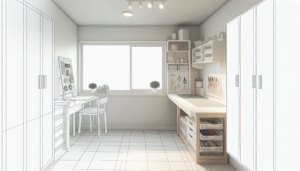
- Minimize sight clutter. Use a low open shelf or a tall closed cabinet to hide non-work items out of view.
- Make walking routes obvious. Place storage near the door for items you grab often, and keep the floor clear for ease of movement.
Small-space layout strategies
In a small room, vertical space wins. Mount shelves above the desk, use a fold-down desk, or create a sliding panel to hide your workspace after hours. If the office is in a shared space, use a room divider or a rug to delineate the area.
Case study: A freelance designer’s layout overhaul
Sarah, a freelance designer, moved her desk away from a noisy hallway to a corner with west-facing light. She added a small filing cabinet to the left and a corkboard above the monitor. She gained fewer interruptions and reported 40% longer focused sessions within two weeks.
Visual content suggestion
Create a simple infographic showing three zone layouts (large room, small room, corner office) with tick marks for sightlines, natural light, and circulation paths.
Ergonomics & Furniture: Work comfortably, longer
Good ergonomics prevents pain and supports sustained work. Adjusting height, posture, and support makes motivation less about grit and more about comfort.
Essential ergonomic principles
- Neutral posture: elbows at 90°–100°, feet flat, eyes level with top third of the monitor.
- Movement variety: shift positions every 20–40 minutes; stand, stretch, walk briefly.
- Support where needed: lumbar roll or adjustable chair back can cut fatigue.
Choosing a desk and chair
Look for a chair with adjustable seat height, lumbar support, and armrests that adjust or can be removed. For desks, choose a height that puts your forearms parallel to the floor when typing. Consider sit-stand desks for longer days — evidence suggests alternating posture reduces discomfort and boosts energy.
Sit-stand desks vs. fixed desks — quick comparison
| Feature | Sit-Stand Desk | Fixed Desk |
|---|---|---|
| Comfort over day | High (if used properly) | Moderate |
| Cost | Higher | Lower |
| Setup complexity | Medium (mechanical/electric) | Low |
| Energy & alertness | Improves when alternating | Neutral |
Recommended models (honest takes)
- Herman Miller Aeron — premium, excellent ergonomics; pricey but long-lasting.
- Steelcase Series 1 — solid mid-range chair with good adjustments.
- IKEA Bekant desk — budget friendly, available in sit-stand versions; less smooth lift mechanism.
- Jarvis or Fully Jarvis — popular sit-stand desk with reliable motor and solid warranty.
Quick setup checklist
- Top of monitor at or slightly below eye level.
- Keyboard close enough that shoulders remain relaxed.
- Monitor 20–30 inches away (arm’s length).
- Use a document holder if you reference paper often.
Visual content suggestion
Illustrate ergonomic setup with a labeled diagram: seat height, monitor height, keyboard position, and foot support.
Lighting & Color: Use light to prime motivation
Light affects mood, sleep, and alertness. The wrong light makes you sluggish. The right light keeps you alert and improves focus.
The science in brief
Daylight exposure helps set circadian rhythms. A 2014 study in the Journal of Clinical Sleep Medicine found that daylight exposure improves sleep quality and daytime alertness. Use cooler light tones in the morning and warmer tones toward the evening to align with natural rhythms.
Practical lighting hacks
- Layer lighting: ambient (ceiling), task (desk lamp), and accent (shelf or wall wash).
- Desk lamp: choose a high-CRI lamp (CRI >90) to render colors naturally.
- Adjust color temperature: 4000–5000K for focused work; 2700–3000K for late afternoon wind-down.
- Dimmer switches or smart bulbs let you tune light through the day.
Color palette for productivity
Colors influence mood. Blues and greens are calming and improve concentration. Warmer accent colors like terracotta or mustard can add energy, but use them sparingly so they don’t distract.
Lighting mistakes that kill motivation
- Single overhead fluorescent light — flat and fatiguing.
- Backlit screen with dark room — causes eye strain.
- Inconsistent light temperature across the room — creates visual discomfort.
Product picks
- BenQ e-Reading Lamp — wide coverage and adjustable color temp (good for designers).
- Philips Hue or LIFX bulbs — smart color and scheduling options.
- High-CRI LED bulbs (≥90 CRI) for accurate color rendering.
Visual content suggestion
Design a comparative graphic showing “Morning (cool) vs. Afternoon (neutral) vs. Evening (warm)” lighting with suggested lumens and color temps for each.
Evidence & further reading
For a deeper dive into circadian lighting and productivity, see this research summary from Harvard and lighting experts (note: external link).
Harvard Business Review: Home office setup
Organization & Storage: Clear space, clear mind
Clutter creates decision friction and drains willpower. Organized systems keep important items accessible and distractions out of sight.
Principles of organization that support motivation
- Out of sight, out of mind — hide non-essential items.
- Frequently used items should be within arm’s reach.
- Adopt a one-touch rule for small tasks: if you pick it up, decide immediately.
Practical storage solutions
- Desktop: keep only daily tools on the surface — monitor, keyboard, one notebook, and a pen cup.
- Open shelving: style with boxes and labels so it looks curated, not messy.
- Vertical file holders for active projects; closed filing for archives.
- Cord management: use a tray or clips under the desk to route cables neatly.
Declutter workflow (30-minute sprint)
- Set a timer for 30 minutes.
- Sort items into Keep, Store, Trash/Recycle.
- Label containers and immediately place them in the right zone.
Tools and products
- Label maker — makes quick, readable labels for boxes and drawers.
- Desktop organizers — compartments for chargers, pens, and sticky notes.
- Under-desk drawer trays to keep small items out of sight.
Case study: How storage boosted a developer’s output
Tom reorganized his home office storage, moving hobby items into a closed cabinet and labelling current sprint folders. Within a week he reported fewer mental interruptions and a faster start-up time each morning.
Visual content suggestion
An illustration showing an organized desk vs. cluttered desk with labels for each zone and storage solution.
Tech & Tools: Reduce friction, increase momentum
Technology should help you move forward, not create new steps. The right tools reduce friction and make it easier to maintain momentum through the day.
Productivity stack essentials
- Task manager — Notion, Todoist, or Things for clear task lists.
- Calendar — Google Calendar or Outlook for blocking focused sessions.
- Focus tools — Forest, Freedom, or built-in Do Not Disturb modes to limit distractions.
Audio: the overlooked enhancer
Good audio helps protect your attention. Noise-cancelling headphones reduce interruptions. Low-tempo instrumental music or ambient tracks can boost sustained focus. Try playlists labelled “Focus” or apps such as Brain.fm which provide neuroscience-backed soundscapes.
Quick tech hacks
- One screen or two? Two monitors boost productivity for many knowledge workers; one large ultrawide can be an elegant alternative.
- Use a KVM switch or software like Synergy if you operate multiple machines with one keyboard/mouse.
- Automate repetitive tasks with macros, text expanders (e.g., TextExpander), and Zapier integrations.
- Enable automatic backups (Time Machine, Backblaze) to avoid catastrophic downtime.
Security and privacy
Use a password manager (1Password, Bitwarden) and enable two-factor authentication for important accounts. Physical security matters too — lock sensitive documents or use a cable lock for laptops in shared homes.
Tool recommendations (honest assessments)
- Notion — flexible all-in-one workspace; steeper setup time but powerful templates.
- Todoist — lightweight, fast task manager with good cross-platform support.
- Forest — gamified focus timer; helpful for building the habit of uninterrupted work.
Visual content suggestion
Design a “tech stack” diagram with categories (Focus, Tasks, Calendar, Backup, Audio) and suggested products for each.
External resource
For evidence on the benefits of blocking time and reducing context-switching, see this productivity research overview.
Harvard Business Review: Time blocking and focus
Mindset & Rituals: Turn the room into a habit engine
A thoughtfully designed room only works when paired with rituals. Rituals create the mental switch that tells your brain, “Now we work.”
Rituals that prime motivation
- Entry cue: flip on a specific lamp or spray a familiar scent when you start work.
- Pre-work checklist: 3-minute ritual—clear desktop, open task app, set 90-minute focus block.
- End-of-day shutdown: tidy desk, log achievements, plan tomorrow.
Design the start-up sequence (5 steps)
- Open a window or flip on a lamp (light cue).
- Put on focus audio or noise-cancelling headphones.
- Review your top 3 tasks for the session.
- Set a timer for the first focused block (50–90 minutes).
- Remove or mute notifications on your phone and computer.
Micro-habits for sustained motivation
Small wins compound. Use micro-habits: clear one inbox folder, write one paragraph, or process one small item. Celebrate them with a brief stretch or a sip of water.
Case study: From burnout to a sustainable day
A product manager was working 10+ hour days with low output. She introduced a 90-minute focused cycle and two 20-minute breaks with a strict shutdown ritual each night. Over six weeks, her output rose 30% while hours dropped by 12%.
Visual content suggestion
Create a printable one-page “Start-up ritual” checklist with icons for each step.
Further reading on this site
For deeper dives on specific topics mentioned here, check these guides:
- Ergonomic desk guide: pick the right chair and desk
- Lighting for productivity: color temperature and placement
- Organization systems for small home offices
- Focus tools and apps that actually help
Image & infographic suggestions (alt text included)
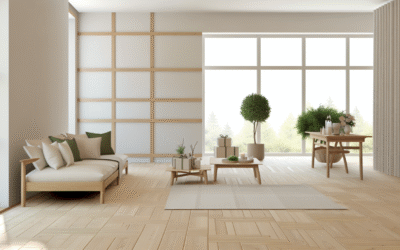
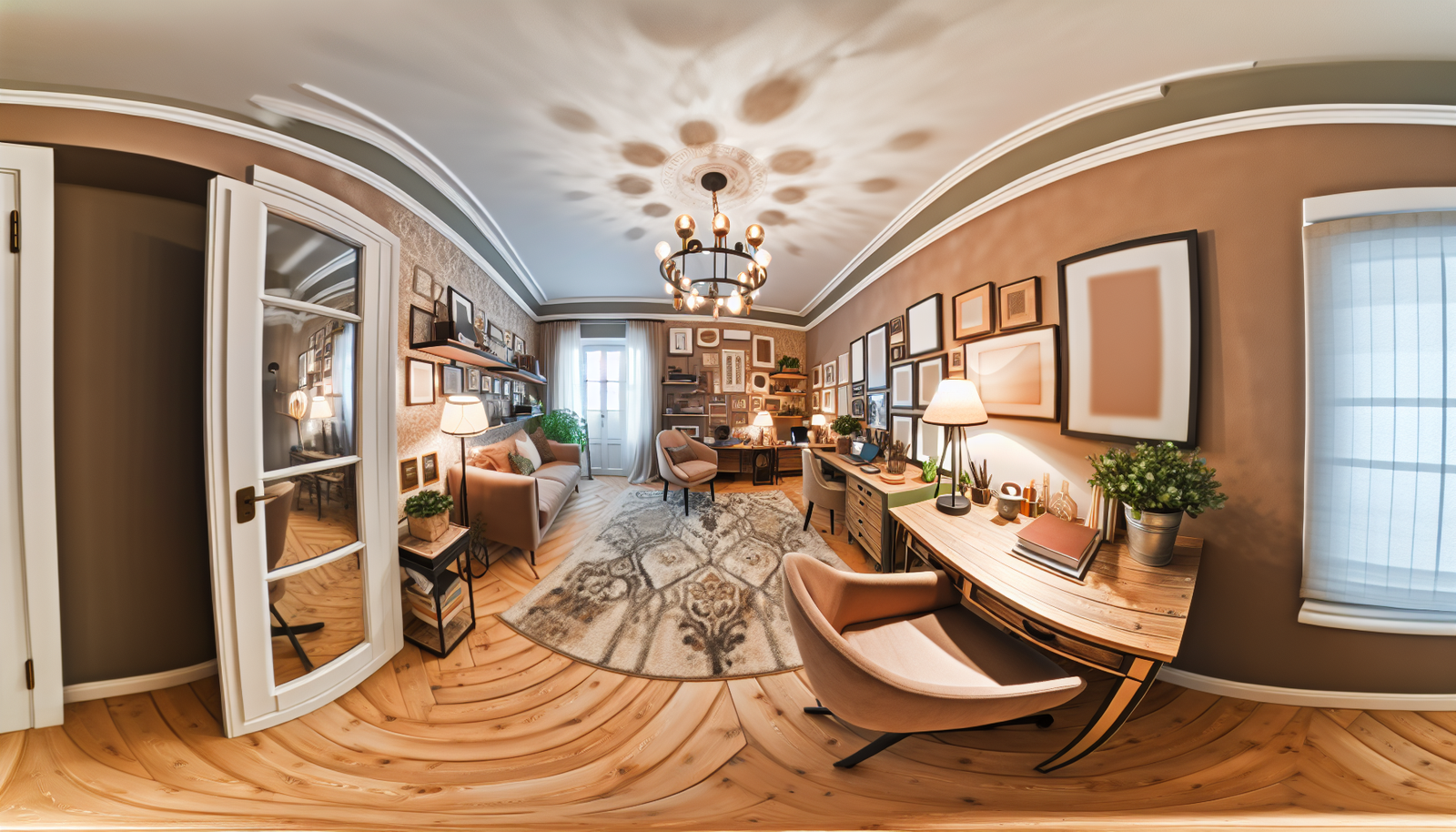
- Photo: “Minimal home office with natural light, desk, monitor, and plant” — alt=”Minimal home office with natural light, desk, monitor, and plant”.
- Diagram: “Ergonomic desk setup labeled” — alt=”Diagram of ergonomic desk setup showing monitor height, keyboard position and chair lumbar support”.
- Infographic: “Daily lighting schedule” — alt=”Infographic showing recommended lighting color temperature for morning, afternoon and evening”.
- Before-and-after image: “Cluttered desk vs organized desk” — alt=”Before-and-after comparison of cluttered desk and organized desk with labeled storage solutions”.
Evidence & expert sources
We referenced productivity and lighting research throughout. For authoritative perspectives:
Frequently asked questions
How do I design a home office on a tight budget?
Start with decluttering and lighting. Remove distractions, paint the wall a calming color, and add a focused desk lamp. Use second-hand ergonomic chairs or add lumbar support with a cushion. Prioritize a good chair and proper monitor height; other upgrades can wait.
Is a standing desk worth it for daily motivation?
Yes if you alternate positions. Standing intermittently reduces stiffness and improves alertness. The key is movement, not standing all day. A sit-stand desk supports varied posture, which reduces fatigue and helps sustain motivation.
What lighting is best for focus?
Bright, cool-to-neutral light (4,000–5,000K) supports focused work in the daytime. Use task lighting to avoid screen glare and install dimmable options to adjust through the day. Natural light is ideal when available.
How do I reduce distractions at home?
Create a dedicated workspace, set boundaries with housemates, use noise-cancelling headphones or white noise, and schedule focus blocks in your calendar. Apply digital boundaries: mute non-essential notifications and use focus apps.
Which software tools help maintain momentum?
Task managers (Notion, Todoist), time-blocking calendars (Google Calendar), and focus apps (Forest, Freedom) reduce friction. Combine a task list with a strict calendar block for best results.
How often should I declutter my home office?
Do a 5-minute tidy at the end of each day and a deeper 30-minute declutter once a week. Monthly checks for stored items help prevent accumulation of non-work clutter.
Conclusion & next steps
Designing a space that supports focus takes intention more than money. These design hacks for a home office that keeps you motivated all day combine layout, ergonomics, lighting, storage, tech, and rituals into a practical plan. Start with quick wins — clear your desk, tune your lighting, and create a start-up ritual — and add ergonomic and tech upgrades as you go.
Next steps: pick one section above and schedule a 60–90 minute session this weekend to apply 2–3 hacks. Measure the change in your ability to start and sustain focused work over the next two weeks. Small changes compound.
Want a product checklist or room layout template? Bookmark this page and follow the internal guides on ergonomic desks, lighting, and organization for deeper implementation help.
Primary keyword reminder: By applying these design hacks for a home office that keeps you motivated all day, you’ll reduce friction and build a workspace that supports longer, higher-quality work sessions.
Related reading:
Content Disclaimer
Information in this article is provided for educational purposes only. It is not medical, financial, or professional advice. Results may vary based on individual circumstances. Consult qualified professionals for specific ergonomic, health, or financial concerns. Product mentions are intended as suggestions and do not constitute endorsements; no external links appear in this disclaimer.
Categories
- Accent Walls & Ceilings (84)
- Art Curation & Gallery (83)
- Bedding Style Trends (89)
- Bedroom Makeover (96)
- Bohemian & Eclectic Styles (80)
- DIY & Budget-Friendly Decor (78)
- Eco-Friendly Design (83)
- Furniture Care (87)
- Home Decor & Design Ideas (181)
- Home Wellness Spaces (103)
- Integrated Outdoor Living (91)
- Japandi Style (84)
- Kids and Nursery Decor (73)
- Living Room Decor (99)
- Mix & Match Techniques (95)
- Modern & Contemporary Design (88)
- Rug Sizing & Placement (89)
- Scandinavian Design Inspiration (51)
- Seasonal Home Decor (100)
- Small Space Solutions (93)
- Wall Art & Painting Tips (94)
Recent Comments
Archives
Product Gallery
-
 Majestic African Wildlife Canvas Art for Stylish Home Decor
Rated 5.00 out of 5
Majestic African Wildlife Canvas Art for Stylish Home Decor
Rated 5.00 out of 5 -
 Cozy Irregular Green Plush Rug for Nordic Living Spaces
Rated 5.00 out of 5$37.00 – $229.00Price range: $37.00 through $229.00
Cozy Irregular Green Plush Rug for Nordic Living Spaces
Rated 5.00 out of 5$37.00 – $229.00Price range: $37.00 through $229.00 -
 Scandinavian Geometric Area Rugs for Stylish Home Décor
Rated 5.00 out of 5$26.00 – $394.00Price range: $26.00 through $394.00
Scandinavian Geometric Area Rugs for Stylish Home Décor
Rated 5.00 out of 5$26.00 – $394.00Price range: $26.00 through $394.00