
Productivity by Design: Crafting a Home Office That Helps You Win the Day

This article teaches you how to shape a home office that supports focused work, steady energy, and consistent output. You’ll learn practical layouts, ergonomic choices, lighting tricks, tech stacks, and daily routines that reduce friction and increase wins—without costly renovations.
What to expect: a quick diagnostic to spot the biggest leaks in your setup, step-by-step room plans for four typical situations, tool and software recommendations, a comparison of standing vs. sitting strategies, real-world case studies, and a compact FAQ ready for voice search.
Read on to convert your square footage into reliable work hours. By the end you’ll have a checklist and small experiments you can run this week to boost focus, reduce fatigue, and finish the day with a sense of progress.
Plan Your Space: Layouts that Maximize Focus and Flow (home office layout for productivity)
The right layout removes decision points and nudges productive behavior. Start by diagnosing your space with three quick questions: What are your primary tasks? How often do you need video calls? Where do you get distracted? Your answers guide the layout.
1. Quick diagnostic: match layout to work type
Break tasks into groups: deep-focus writing, client calls, creative work, and admin. Then map them to zones. Deep work benefits from the quietest corner. Video calls need neutral backgrounds and reliable light. Admin tasks can live on a secondary surface or digital inbox.
2. Four practical layouts
-
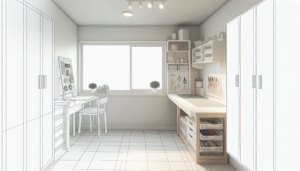
- Compact Corner Studio — ideal for small apartments. Place a narrow desk against the wall perpendicular to a window. Use a monitor arm and wall shelves.
-
- Open Plan Nook — for shared spaces. Use a low divider or tall plant to separate work from living areas. Noise-cancelling headphones help.
-
- Dedicated Room — best for frequent meetings. Position the desk to face the door for psychological control and set a camera-friendly backdrop.
-
- Flexible Hub — for hybrid routines. Keep a primary desk and a mobile laptop cart for mornings outside or afternoons with family.
3. Zoning: visual and physical cues
Use rugs, lighting, plants, and wall color to signal function. A warm rug under the desk says “focus.” A bright lamp over the creative table says “idea time.” These cues reduce switching costs between tasks.
Actionable steps — this week
-
- Do the three-question diagnostic and label zones on a sketch of your room.
-
- Reposition the desk so your back isn’t to the door, unless that helps you feel more comfortable.
-
- Test one zone marker: a rug, lamp, or shelf. Use it for three days and note distraction levels.
Evidence & notes
Office design studies show workspace layout influences concentration and interruptions. Simple barriers and clear zones reduce task switching and perceived stress. (See office ergonomics research linked in the resources section.)
Ergonomics and Comfort: Work Smarter, Not Harder (home office ergonomics and health)
Ergonomics isn’t luxury—it’s a productivity tool. Good posture, correct monitor height, and supportive seating reduce fatigue and lost days. Investing in ergonomic fixes returns hours of regained focus each week.
1. Core ergonomic checklist
-
- Top of monitor at or slightly below eye level.
-
- Wrists neutral while typing; elbows at ~90 degrees.
-
- Feet flat on the floor or on a footrest; hips slightly above knees if standing.
-
- Seat lumbar support aligned with lower back curve.
2. Chair, desk, and monitor: matching components
Match your chair and desk heights. A good office chair (brands like Herman Miller, Steelcase) provides adjustable lumbar support and tilt. If budget is limited, a firm cushion and a lumbar roll improve comfort. For monitors, use an arm or riser to avoid craning.
3. Standing vs. sitting: a practical comparison
| Feature | Standing | Sitting |
|---|---|---|
| Energy | Boosts short-term energy; reduces lethargy | More restful for prolonged tasks |
| Fatigue | Can cause leg strain without movement | Can cause back pain if posture is poor |
| Focus | Good for short focused bursts | Better for extended deep work |
| Recommendation | Alternate with sitting; use anti-fatigue mat | Take standing breaks every 30–60 minutes |
4. Micro-movements & scheduled breaks
Short movement breaks improve circulation and concentration. Try a 5-minute stand-and-stretch every 45 minutes or a 10-minute walk after a two-hour block. Use a simple timer to remind you.
Actionable steps — this week
-
- Set monitor height with a book or riser so the top third is at eye level.
-
- Adjust chair so forearms are roughly parallel to the floor.
-
- Try a standing session for 20 minutes mid-afternoon and record perceived focus.
Evidence & external resources
Official ergonomics guidance helps reduce musculoskeletal strain. For practical posture advice, consult professional sources such as the U.S. National Institute for Occupational Safety and Health and ergonomics overviews from medical centers. NIOSH Ergonomics and Mayo Clinic office ergonomics offer reliable starting points.
Lighting, Sound, and Air: The Invisible Productivity Boosters (home office lighting tips & acoustics)
Sensory inputs shape cognitive state. Proper light, controlled sound, and fresh air raise alertness and reduce errors. You don’t need expensive gear—small changes make a big difference.
1. Light: use layers, not just one lamp
Combine ambient light, task light, and accent light. Position task lighting to avoid screen glare. Blue-enriched light in the morning supports alertness; warmer tones in the afternoon ease transition out of intense work.
2. Sound control: choose what you hear
There are three approaches: silence, curated audio, or masking noise. Silence suits deep analytical work. Curated audio—instrumental playlists, binaural tracks, or Focus@Will—helps many. Masking noise, like white noise or nature sounds, reduces distracting voices.
3. Air quality and plants
Good ventilation reduces drowsiness. A small fan, a window crack, or an air purifier improves focus. Houseplants like pothos and snake plant help with air feel and add visual calm.
4. Soundproofing on a budget
-
- Rugs and soft furnishings absorb echo.
-
- Bookshelves filled with books reduce sound bounce.
-
- Weatherstripping doors keeps hallway noise out.
Actionable steps — this week
-
- Add a warm desk lamp and position it to the side of your dominant hand to limit glare.
-
- Test three audio approaches for two-hour blocks and choose the most productive one.
-
- Open a window for five minutes every hour or use a small purifier if outside air is poor.
Tools, Tech, and Workflow: Build an Efficient Stack (home office tools & task management for remote work)
Software and hardware should remove friction, not add it. Design a minimal stack that supports your key workflows: planning, communicating, and producing. Each tool should answer a clear need.
1. Hardware essentials
-
- Reliable internet and a wired option if possible.
-
- External monitor or portable monitor for screen real estate.
-
- Ergonomic keyboard and mouse; consider split keyboards if you type a lot.
-
- Good microphone and webcam for professional video presence.
2. Software stack by role
Keep roles separate: planning, focus, and handoffs.
-
- Planning & knowledge: Notion, Obsidian, or Evernote for structured reference.
-
- Task management: Todoist, Asana, or Trello—pick one and stick with it.
-
- Communication: Slack or Microsoft Teams with notification rules to limit interruptions.
-
- Focus tools: Forest, Pomodone, or native timers for single-task sessions.
3. Automations and templates
Create simple templates for recurring work: meeting notes, briefs, and weekly reviews. Automate repetitive tasks with short rules—email filters, calendar scheduling links, and workflow automations (Zapier or IFTTT) where needed.
4. Digital hygiene & information flow
Set a 15-minute inbox rule: triage messages into action, defer, or archive. Use calendar blocks for deep work and a shared status message to reduce unexpected pings. Limit open tabs and use browser profiles or containers for different work contexts.
5. Tools we recommend (honest assessments)
-
- Notion — flexible workspace for those who want a single source of truth. Good when you customize it carefully; can feel heavy if overbuilt.
-
- Todoist — simple task manager that scales. Great for personal productivity and recurring tasks.
-
- Toggl Track — time tracking to understand where hours go. Useful for freelancers and people who bill time.
-
- Sony WH-1000XM5 — top-tier noise cancelling headphones. Strong battery life and clear mic for calls.
Actionable steps — this week
-
- Pick one planning tool and migrate core notes into it. Archive or delete duplicates.
-
- Set two calendar blocks for deep work and label them clearly: “Deep Work — No Meetings.”
-
- Create a meeting agenda template and use it for your next three meetings.
Routine, Boundaries, and Psychology: Daily Habits that Win the Day (home office routines & work-life boundaries)
Design your day like a product. Routines reduce decision fatigue and raise the odds you’ll hit high-leverage work. Small boundary signals keep work from bleeding into life.
1. Define non-negotiable start and end rituals
A start ritual signals your brain that work has begun. Examples: a 5-minute review of priorities, a glass of water, and a brief stretch. An end ritual marks the transition away from work—closing the laptop, a short tidy, and writing tomorrow’s top three tasks.
2. Time-blocking for humans
Use flexible blocks framed by intent rather than rigid minutes. For example: Morning deep work (90–120 minutes), mid-day calls, afternoon creative work, and late-day admin. Put buffers between blocks for context switching.
3. Boundaries that actually hold
-
- Visual cue: close the office door or put a “working” sign when you’re in flow.
-
- Communication cue: set an auto-reply or status during deep blocks.
-
- Physical cue: store work devices on a shelf at the end of your day.
4. Motivation rides on small wins
Break big projects into 25–60 minute actions. Track these small wins in a visible place. Over time the list becomes a momentum engine.
Actionable steps — this week
-
- Create a five-step start ritual and practice it each morning for five days.
-
- Block two deep work sessions in your calendar for the week and protect them.
-
- Choose one end-of-day habit to stop work at a regular time and keep it for a week.
Design Aesthetics and Personalization: Spaces that Motivate (home office decor for focus)
The aesthetics of your space influence mood and focus. Personalization needn’t be loud. Thoughtful touches—art, color, and texture—anchor identity and make the office a place you want to be.
1. Minimalism with personality
Choose a small palette of colors (two neutrals and one accent). Keep surfaces mostly clear and reserve a single shelf or wall for items that inspire you: a favorite book, a framed photo, or a plant.
2. Visual hierarchy and focal points
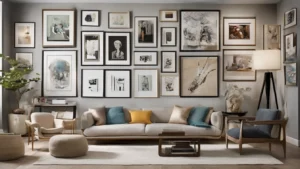
Create a focal point behind or near your desk. A framed print, a textured wall, or a neat shelf gives the eye a place to rest during breaks and looks professional on video calls.
3. Lighting and texture for mood
Soft textiles and warm lights create comfort. Hard surfaces and bright overhead light can make a space feel harsh. Balance them for long sessions.
Actionable steps — this week
-
- Choose one wall or shelf to style with a maximum of three items that matter.
-
- Swap one overhead bulb for a warmer lamp to test mood shifts.
Visual content suggestions
Ideal graphics: a 3-step infographic showing “quick ergonomic fixes,” a before-and-after layout diagram for small spaces, and a simple comparison chart for standing vs. sitting routines.
Case Studies: Small Changes, Big Productivity Wins (real-world home office examples)
These three short case studies show measurable outcomes from concrete changes.
Case Study A — The Busy Consultant
Baseline: frequent video calls, heavy note-taking, sore shoulders. Change: external monitor, webcam positioned at eye level, and a compact headset. Outcome: call prep time dropped 15%, and client-facing confidence improved. Shoulder pain reduced after a two-week chair adjustment and short daily mobility routine.
Case Study B — The Creative Freelancer
Baseline: switching between client work and creative projects caused momentum loss. Change: dedicated morning deep-work block and a visible Kanban board. Outcome: earned 20% more billable creative hours in a month due to fewer context switches.
Case Study C — The Remote Team Lead
Baseline: constant interruptions and long meetings. Change: weekly agenda template, 30-minute meeting cap, asynchronous updates via shared doc. Outcome: meeting hours per week dropped by 35%, while deliverables improved thanks to clearer accountability.
What these studies teach
Small, targeted changes yield measurable results. Focus on bottlenecks: interruptions, poor ergonomics, and unclear processes. Fix one bottleneck and measure the effect for two weeks.
Tools, Suppliers, and Budgets: Build the Kit That Fits Your Wallet
You don’t need top-tier gear to get better outcomes. Below are tiers by budget and purpose.
Budget-friendly (<$200)
-
- Adjustable monitor riser or stack of books.
-
- Basic ergonomic chair cushion and lumbar roll.
-
- Clip-on task lamp with warm/bright modes.
Mid-range ($200–$800)
-
- Height-adjustable desk converter or electric desk.
-
- Decent ergonomic office chair with tilt and lumbar support.
-
- External monitor (27″) or portable second monitor.
Premium (>$800)
-
- Electric standing desk with memory presets.
-
- High-end ergonomic chair (e.g., Herman Miller, Steelcase).
-
- Dual 4K monitors or ultrawide, pro-level webcam and mic setup.
Where to buy and what to test
Try local retailers for chairs so you can test comfort. For monitors and desks, read measured reviews and check return policies. If you’re unsure, rent or borrow for a week before committing.
Infographic opportunity
A “build-your-kit” flowchart works well: answer three questions (hours/day, budget, meeting frequency) and get a recommended kit.
Decision Framework: How to Choose What to Buy or Change
Use this simple decision matrix: Impact vs. Effort. Prioritize high-impact, low-effort fixes first.
Impact vs. Effort matrix (practical examples)
-
- High impact & low effort: monitor riser, lamp adjustment, schedule a deep-work block.
-
- High impact & high effort: new ergonomic chair, dedicated room renovation.
-
- Low impact & low effort: wall art swap, new pen cup.
-
- Low impact & high effort: full decor overhaul without addressing workflow.
Actionable exercise
-
- List five pain points in your current setup.
-
- Estimate impact and effort for each on a scale of 1–5.
-
- Pick one high-impact, low-effort fix and commit to it this week.
Accessibility & Inclusion: Design for Diverse Needs
A productive workspace should also be inclusive. Adjustable heights, clear captioning on calls, and high-contrast lighting help people with a range of needs.
Simple accessibility measures
-
- Captioning or transcripts for meetings.
-
- Multiple input methods (voice, keyboard shortcuts).
-
- Clear font choices and sufficient contrast for documents and slides.
Actionable steps
-
- Turn on live captions for one meeting this week and gather feedback.
-
- Offer multiple ways to receive deliverables (document, audio summary, short video).
Further Reading (Internal)
Trusted Sources & Further Research
For science-backed guidance on remote work and ergonomics, see research and expert summaries from established organizations:
Frequently Asked Questions
How do I set up a productive home office on a tight budget?
Start with three low-cost changes: raise your monitor to eye level using a riser, add a focused task lamp, and create visual zones with a rug or shelf. Set two protected deep-work blocks in your calendar to see immediate gains.
Is a standing desk worth it for home office productivity?
Yes, when used strategically. Alternating standing and sitting reduces fatigue and boosts short-term alertness. Use an anti-fatigue mat and limit prolonged standing. The best approach is balance: standing for some tasks, sitting for deeper focus.
What lighting works best for video calls and deep work?
For video calls, use soft, even front lighting at or slightly above eye level. For deep work, layer ambient light with a warm task lamp to reduce glare and eye strain. Avoid direct backlighting during video calls to prevent silhouettes.
How can I stop distractions from family or housemates?
Set clear visual boundaries (a closed door or a sign), agree on work hours, and schedule shared breaks. Use headphones to signal focus and a calendar to show availability. Small, consistent routines make boundaries easier to respect.
Which software helps maintain focus while working from home?
Simple timers (Pomodoro apps), task managers (Todoist, Asana), and distraction blockers (Freedom, browser site blockers) help. Pick one focus tool and pair it with a single task manager to avoid fragmentation.
How can I make my home office more inclusive?
Offer captions for meetings, provide different formats for materials (text, audio, video), and ensure adjustable furniture and good lighting. Small adjustments like high-contrast visuals and clear audio go a long way.
How long before a new setup improves my productivity?
Some benefits appear immediately—less neck strain, clearer video presence—while behavior changes may take 1–3 weeks. Measure small wins (time spent in focus, number of interruptions) to track progress.
Conclusion: Start Small, Design to Win
Productivity by Design is both a mindset and a method. Begin with a short diagnostic, fix one high-impact, low-effort item, and iterate. Over time these small wins compound into sustained focus, less fatigue, and clearer days.
Your next steps: run the three-question room diagnostic, pick one ergonomic tweak, and block two deep-work sessions this week. Reassess after two weeks and choose another tweak. This steady, test-driven approach replaces overwhelm with momentum.
Want more? Try our related guides on ergonomics, time-blocking, or the home office tool kit. Share what worked for you so others can learn—design is an iterative process.
Remember: a thoughtfully designed space doesn’t do the work for you, but it removes excuses and friction so you can win the day more often.
Content Disclaimer
The information in this article is provided for educational purposes only. It is not medical, financial, or professional advice. For ergonomics-related injuries or serious health concerns, consult a qualified healthcare professional. Product recommendations are opinions and not endorsements; results may vary based on individual circumstances.
Image and Infographic Suggestions
-
- Photo: compact corner studio — alt text: “Small corner home office with monitor on riser and potted plant.”
-
- Illustration: ergonomic posture diagram — alt text: “Diagram showing correct monitor height, chair position, and wrist alignment.”
-
- Infographic: 3-step ergonomic fixes — alt text: “Infographic listing three quick ergonomic adjustments to reduce neck and shoulder strain.”
-
- Before-and-after layout diagram — alt text: “Before and after layout changes that convert a living space into a focused work zone.”
Schema Notes
This article is structured for Article schema with a clear headline, author, and published date. The FAQ section uses question-answer pairs wrapped in <details> tags for easy transformation to FAQ schema. A How-to flow can be generated for “Setting up a basic ergonomic home office” using the actionable steps provided in each section.
Get Started — A Small Experiment
Pick one of the following experiments for this week:
-
- Raise your monitor and track neck comfort daily.
-
- Block two 90-minute deep-work sessions and log output.
-
- Swap to a warmer desk lamp and note mood changes.
Try one, measure two, and iterate. If you’d like a custom checklist for your room, reply with a short description of your space and work style and we’ll create one for you.
Categories
- Accent Walls & Ceilings (84)
- Art Curation & Gallery (83)
- Bedding Style Trends (89)
- Bedroom Makeover (96)
- Bohemian & Eclectic Styles (80)
- DIY & Budget-Friendly Decor (78)
- Eco-Friendly Design (83)
- Furniture Care (87)
- Home Decor & Design Ideas (181)
- Home Wellness Spaces (103)
- Integrated Outdoor Living (91)
- Japandi Style (84)
- Kids and Nursery Decor (73)
- Living Room Decor (99)
- Mix & Match Techniques (95)
- Modern & Contemporary Design (88)
- Rug Sizing & Placement (89)
- Scandinavian Design Inspiration (51)
- Seasonal Home Decor (100)
- Small Space Solutions (93)
- Wall Art & Painting Tips (94)
Recent Comments
Archives
Product Gallery
-
 Majestic African Wildlife Canvas Art for Stylish Home Decor
Rated 5.00 out of 5
Majestic African Wildlife Canvas Art for Stylish Home Decor
Rated 5.00 out of 5 -
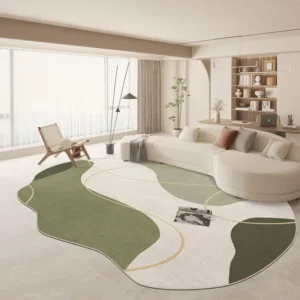 Cozy Irregular Green Plush Rug for Nordic Living Spaces
Rated 5.00 out of 5$37.00 – $230.00Price range: $37.00 through $230.00
Cozy Irregular Green Plush Rug for Nordic Living Spaces
Rated 5.00 out of 5$37.00 – $230.00Price range: $37.00 through $230.00 -
 Scandinavian Geometric Area Rugs for Stylish Home Décor
Rated 5.00 out of 5$27.00 – $396.00Price range: $27.00 through $396.00
Scandinavian Geometric Area Rugs for Stylish Home Décor
Rated 5.00 out of 5$27.00 – $396.00Price range: $27.00 through $396.00